

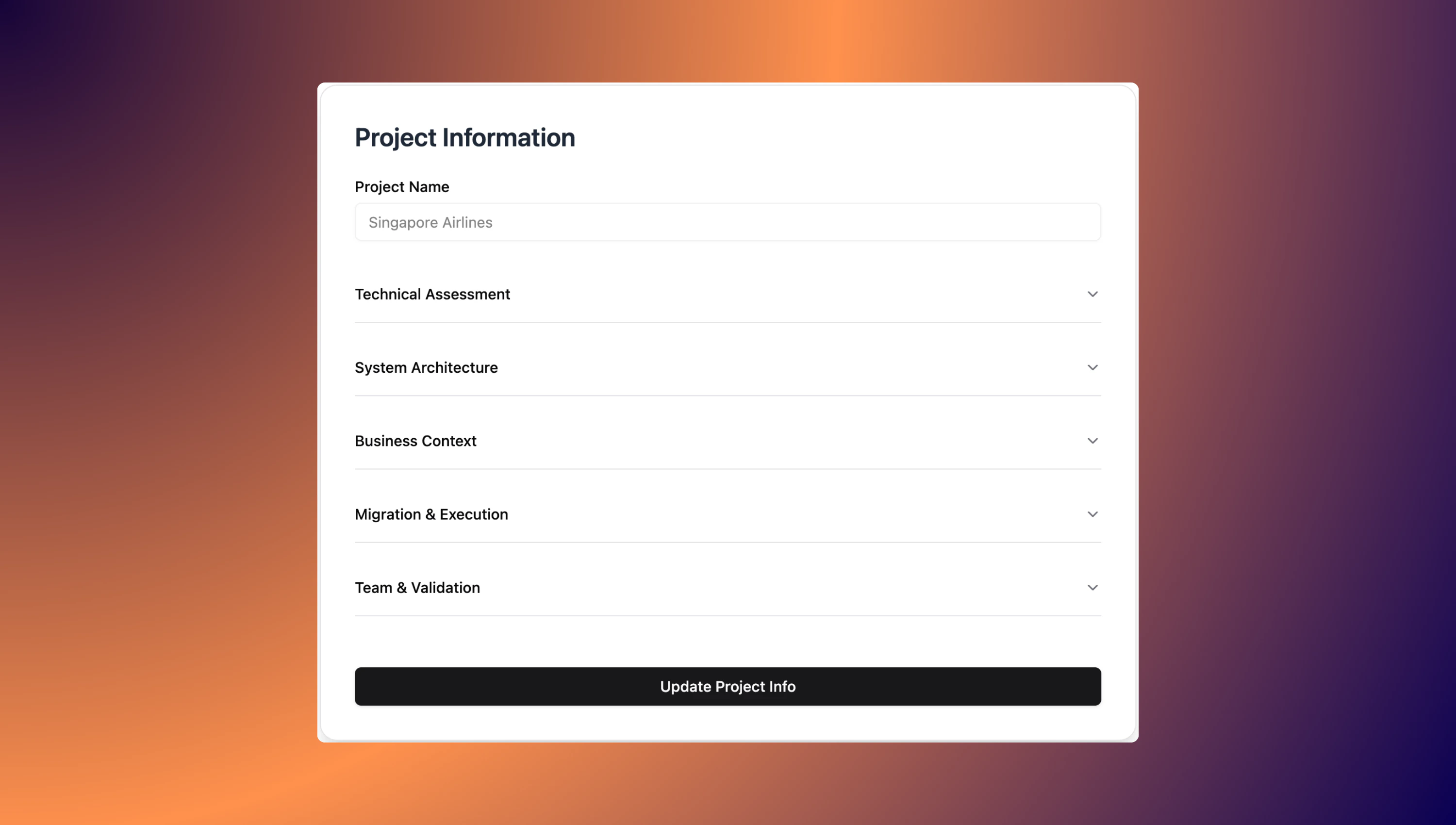
1. Technical Assessment
This section helps us capture and evaluate the custom code present in your legacy SAP system. The goal is to understand what exists, how it’s used, and what implications it has for your migration and modernization plans.1.1. Custom Objects
Provide a summary of the custom development objects in your system. Include estimates or actual counts for each type. Example:- Reports: Total number of custom reports (e.g., 120 custom reports).
- Function Modules: Number of custom function modules (e.g., 15 modules).
- Enhancements: List enhancements such as BADIs and User Exits (e.g., 3 BADIs, 5 User Exits).
1.2. Usage Metrics
Document how frequently the legacy code is used. Example:- Actively Used Reports: Indicate how many reports are in active use (e.g., 80 used in the last 90 days).
1.3. Business Criticality
Note any mission-critical or high-frequency objects (e.g., ZFI_REPORT_001 runs daily).1.4. Dependencies
Capture technical dependencies related to the custom code:- Internal Dependencies: Describe interactions between custom objects (e.g., one custom function calling another).
- External Dependencies: List interactions with SAP standard components, such as BAPIs, RFC destinations, IDocs, etc.
1.5. Technical Debt
Highlight any known quality or maintenance issues: Example:- ATC/SCI Findings: Summarize results from static code checks.
- Obsolete Constructs: Identify areas using outdated or unsupported code patterns.
2. System Architecture
Use this section to define your current (source) and future (target) system landscapes, along with key integration requirements. This information is crucial for planning a smooth transition and ensuring architectural alignment across systems.2.1. Source System
Document the technical specifications of the system you are migrating from. This helps establish compatibility and transformation requirements.- System Type — Example: SAP ECC 6.0 EHP8
- Database — Example: SAP HANA 2.0
- Operating System — Example: Linux
2.2. Target Architecture
Specify the environment you are migrating to. Include cloud platforms, runtimes, and key services that will support your new architecture.- System Type / Environment — Example: SAP BTP ABAP Environment (Steampunk)
- Runtime — Example: Cloud Foundry
- Core Services — Example: SAP HANA Cloud, Destination service
2.3. Integrations
List the interfaces and integration patterns necessary for the target system to communicate with existing systems or third-party applications.- Legacy System Interfaces — Example: RFC connections to legacy systems
- Third-Party Integrations — Example: REST or SOAP APIs for external services
3. Business Context
This section captures the broader business environment for the project, including supported processes, strategic objectives, and compliance needs. Understanding these elements ensures that the technical solution aligns with business priorities and regulatory requirements.3.1. Business Processes
List the core business processes that the project supports. These should reflect key operational areas that rely on the system and may be impacted by the migration.- Finance — Example: Accounts Payable aging reports
- Logistics — Example: Delivery status monitors
Include processes across departments such as HR, Sales, Procurement, etc., where applicable.
3.2. Strategic Goals
Define the business or organizational goals driving this initiative. These often guide decisions around architecture, tooling, and user experience.- Example: Enable self-service cloud reporting
- Example: Modernize UI with Fiori apps
These goals should align with broader digital transformation or IT strategy objectives.
3.3. Compliance
Identify any legal, regulatory, or internal security requirements the project must adhere to. These are critical for system design, data handling, and audit readiness.- Example: GDPR compliance (e.g., anonymization of personal data)
- Example: Audit logging for financial data
Consider compliance with local regulations (e.g., data residency laws) and industry standards (e.g., ISO, SOX).
4. Migration & Execution
This section outlines the technical execution plan for migrating custom code and applications to the target environment. It includes compatibility issues, API strategy, authentication design, migration approaches, tooling, and DevOps practices.4.1. Unsupported Features
Identify legacy features or constructs that are not supported in the target environment (e.g., SAP BTP). This helps in early scoping of what needs to be redesigned or removed.- Example: CALL TRANSACTION, SYSTEM commands, OPEN DATASET
- Example: GUI-only dependencies not supported in Fiori or browser-based UIs
4.2. API Usage
Document any usage of non-whitelisted APIs or objects and outline plans for transitioning to supported patterns.- Example: Use of CL_GUI_FRONTEND_SERVICES (non-whitelisted class)
- Example: Plan to redesign using RAP (RESTful ABAP Programming Model)
4.3. Auth Model
Define the authentication and authorization mechanisms for the target system. Include how roles and identities will transition or map between environments.- Example: Transitioning to XSUAA-based OAuth authentication on SAP BTP
- Example: Mapping SAP GUI roles to BTP role collections
4.4. Migration Strategy
Outline the high-level approach to migrating existing code and applications. Categorize items based on whether they will be retired, refactored, or rebuilt.- Example: Retire 20 outdated reports
- Example: Refactor 30 reports using RAP model
- Example: Rebuild 10 complex programs as cloud-native services
4.5. Tools
List tools and frameworks that will support the migration process, including development, quality assurance, and transport.- Example: ABAPGit for source control
- Example: ATC for cloud readiness checks
- Example: SAP Cloud Transport Management
4.6. CI/CD
Describe the DevOps approach, including version control, automated testing, and deployment strategies.- Example: GitHub Actions integrated with BTP deployment
- Example: CI/CD pipeline for ABAP deployments using CTS or custom scripts
5. Team & Validation
This section outlines the organizational setup, team readiness, governance approach, and the strategy for testing and validating the migrated solution. A successful migration requires both technical execution and coordinated collaboration across roles.5.1. Stakeholders
Identify the key business and technical stakeholders involved in the migration project.- Business Stakeholders — Example: Finance, Sales leadership
- Technical Stakeholders — Example: ABAP developers, SAP Basis team
5.2. Team Skills
Assess current team capabilities and highlight required skill areas to support the migration and future development.- Current Skills — Example: 1 developer trained in RAP
- Required Skills — Example: RAP, CDS Views, Fiori Elements
Use this to identify training needs or external support requirements.
5.3. Governance
Define the governance model used to manage development, releases, and change control during the migration.- Example: Biweekly sprint releases
- Example: CAB (Change Advisory Board) approval required for production changes
5.4. Test Automation
Outline your approach to automated and manual testing to ensure the stability and reliability of the system post-migration.- Current Coverage — Example: High reliance on manual testing
- Planned Automation — Example: Unit tests for RAP logic
5.5. Performance
Record baseline performance metrics of key processes and reports. This will help validate success after migration.- Example: Report
ZFI_REPORT_001processes 500k records in 10 minutes
5.6. Validation
Describe the strategy for validating the correctness and completeness of the migrated solution.- Example: Functional parity through User Acceptance Testing (UAT)
- Example: Side-by-side test runs comparing legacy and target systems
Great work! You have successfully defined the key dimensions of your project—from technical assessment to team structure—laying a strong foundation for a successful and well-managed migration.