

Step 1: Start with a Free Account Setup
Start by completing the steps on our Create Your Free Account page. This forms the foundation for your enterprise setup.Step 2: Create new Project
Once your account setup is complete, you will be taken to your personal workspace by default. To begin working on a client implementation, open theProject Switcher and click New Project.
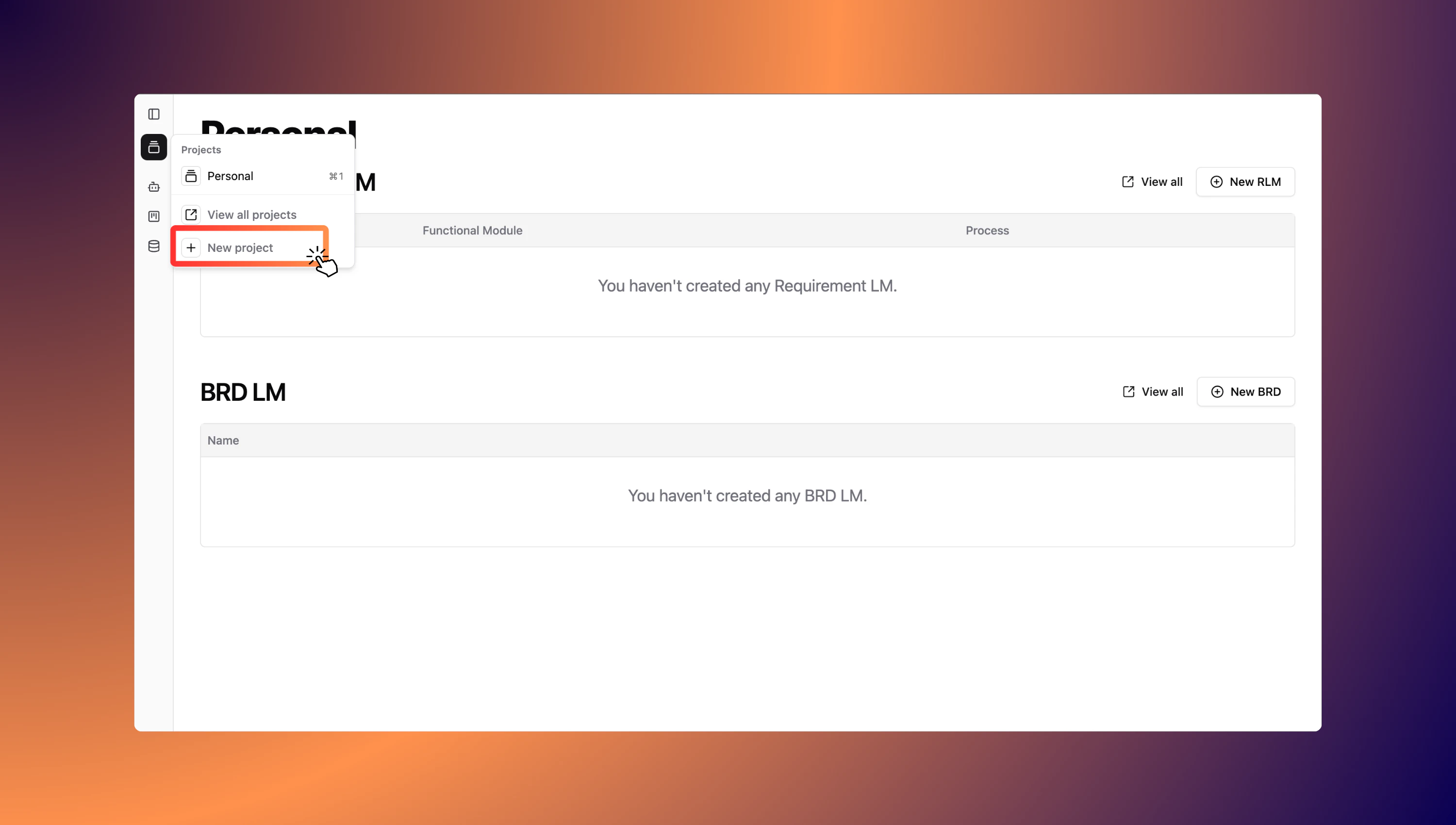
Step 3: Provide Basic Project Details
When creating a new project, you’ll be asked to provide a few key details about the implementation.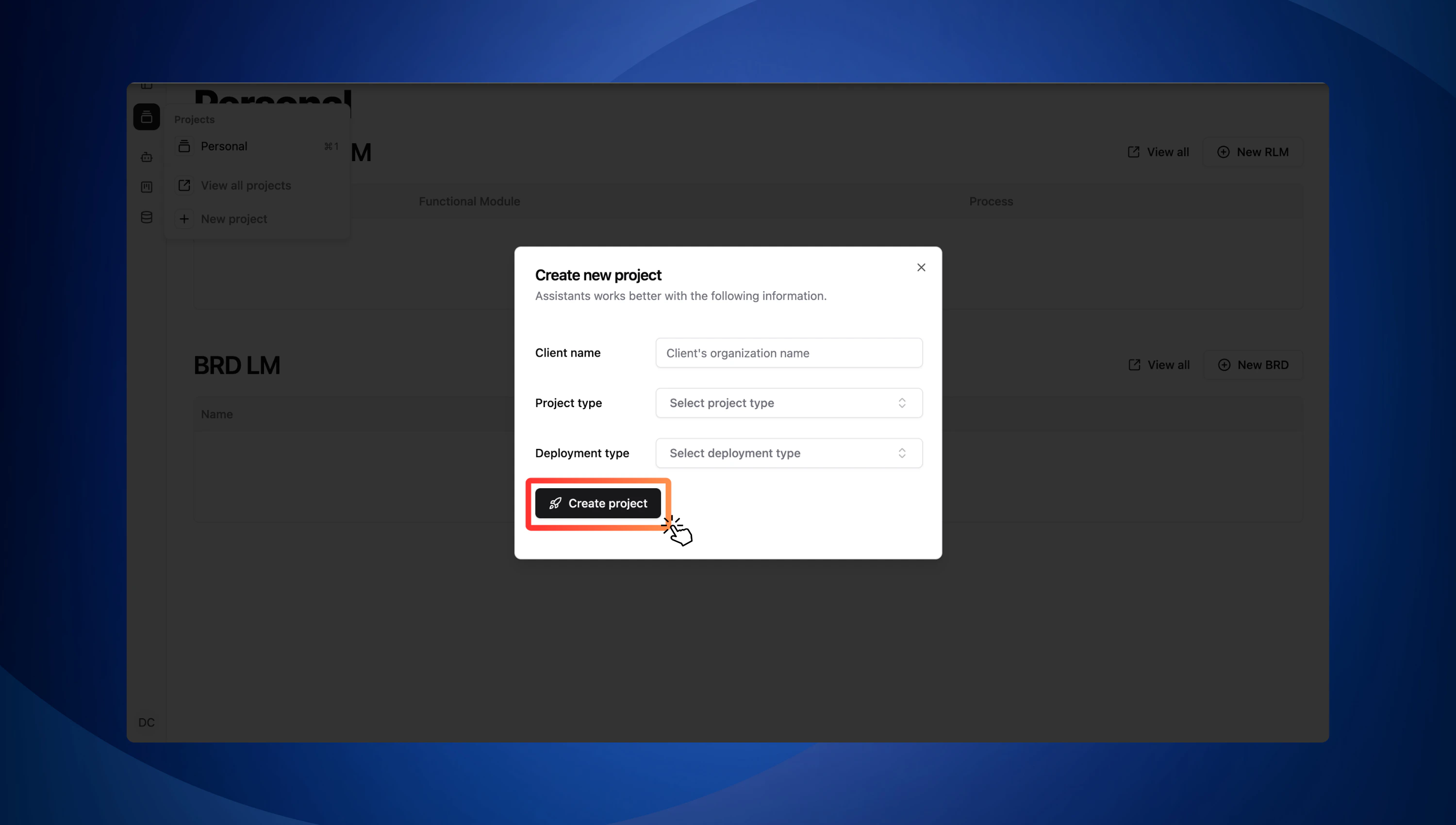
1. Client Name
Enter the name of the organization or client for whom you are managing the project. This helps you identify and organize projects easily within your workspace. Example: “Singapore Airlines”2. Project Type
Choose the type of SAP implementation project you are working on. Here’s what each option means:- Greenfield: A fresh SAP implementation with no existing systems or data carried over.
- Brownfield: A migration or upgrade from an existing SAP system.
- Bluefield: A selective transformation—combining new implementation with selective data and process migration from an existing system.
If you’re unsure which type fits, check with your client’s IT team or project lead.
3. Deployment Type
Specify how the project will be deployed. Choose the option that matches the client’s infrastructure:- Private Cloud: A cloud environment dedicated to a single organization.
- Public Cloud: A shared cloud environment offered by providers like AWS, Azure, or GCP.
- On-Premise: The system is hosted locally on the client’s own servers.
This choice can impact integration, customization, and maintenance requirements.
Congratulations! You have successfully created your enterprise account and completed the initial project setup.
Define Your Project
Capture the technical, business, and governance aspects for a successful migration.
Ran into any issue? Let us know!
Please email us at team@getadri.ai with your issue description.